

Microsoft recently documented phishing campaigns abusing OAuth redirect behavior in identity platforms such as Microsoft Entra ID.
The technique does not exploit a vulnerability. Instead, attackers abuse legitimate OAuth redirection logic to deliver phishing pages or malware payloads.
The attack typically begins with a phishing email containing a crafted OAuth authorization URL. The link triggers a login flow against a legitimate identity provider such as Microsoft Entra ID.
Instead of completing the authentication process, the attacker intentionally manipulates parameters in the request (for example by using invalid scopes or manipulated redirect URIs). This causes the OAuth flow to redirect the user to a malicious endpoint controlled by the attacker.
Because the flow starts on a trusted Microsoft login domain, many email and browser defenses allow the link to pass.
In observed campaigns, the redirected page delivered malware payloads such as ZIP archives containing LNK loaders and scripts that eventually executed PowerShell commands and connected to attacker-controlled infrastructure.
Microsoft emphasizes that this technique demonstrates how legitimate authentication mechanisms can be repurposed for social engineering rather than exploiting technical vulnerabilities.
OAuth redirection abuse enables phishing and malware delivery | Microsoft Security Blog
Microsoft’s report describes how OAuth redirection can be abused in phishing campaigns. To better understand the risk, it helps to look at how this can actually work in practice.
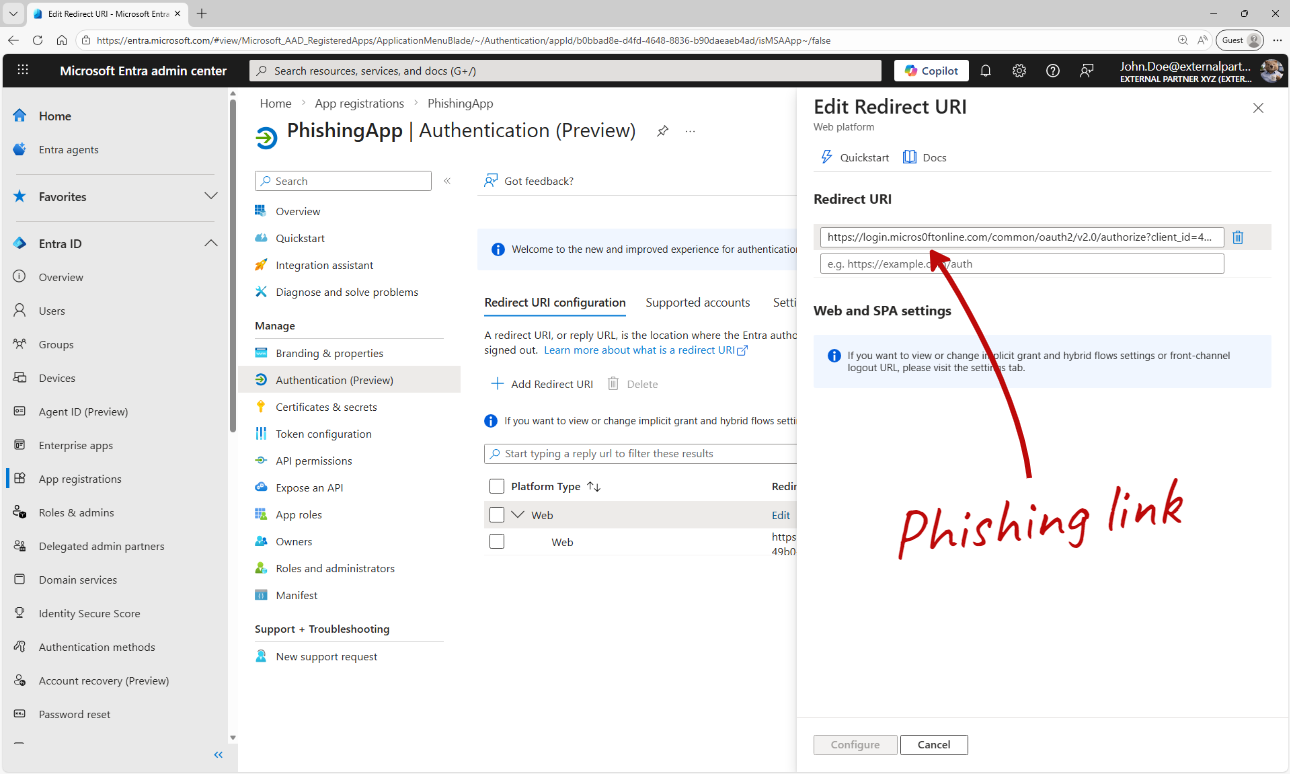
The attacker first registers an application in their own Entra ID tenant.
The key element is the redirect URI, which points to infrastructure controlled by the attacker. This URI will be used later in the OAuth flow to redirect the victim after authentication.
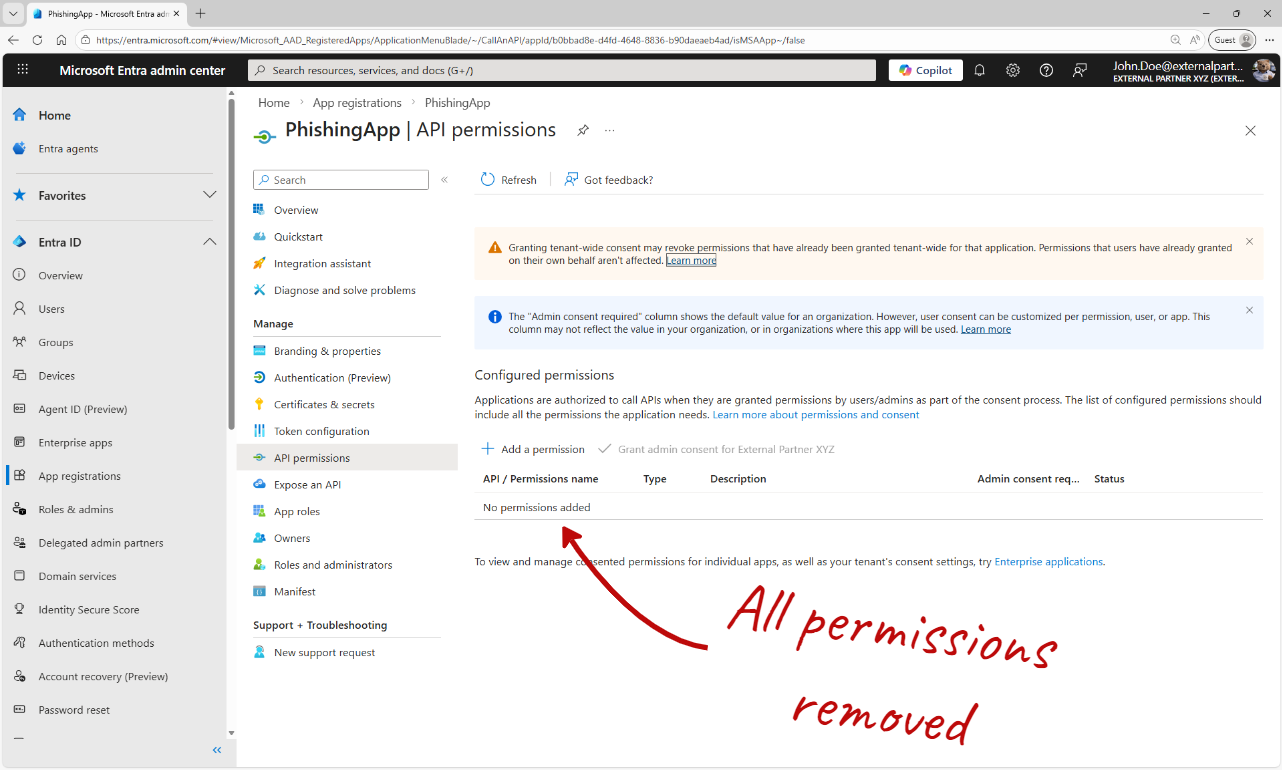
In this example the application has no API permissions configured. This is intentional. Without permissions, the user will not see a consent prompt, which removes an important warning signal and makes the login flow appear completely normal.
The attacker can now generate an OAuth authorization link and deliver it to a target user.
I will not demonstrate how to construct such links in this article, but I personally use the Microsoft Entra Sign-in URL Builder when analyzing authentication flows.
Entra Sign-in URL Builder - Generate Microsoft Entra OAuth 2.0 Authorization URLs
When the victim opens the link, the browser loads a legitimate Microsoft authentication page.
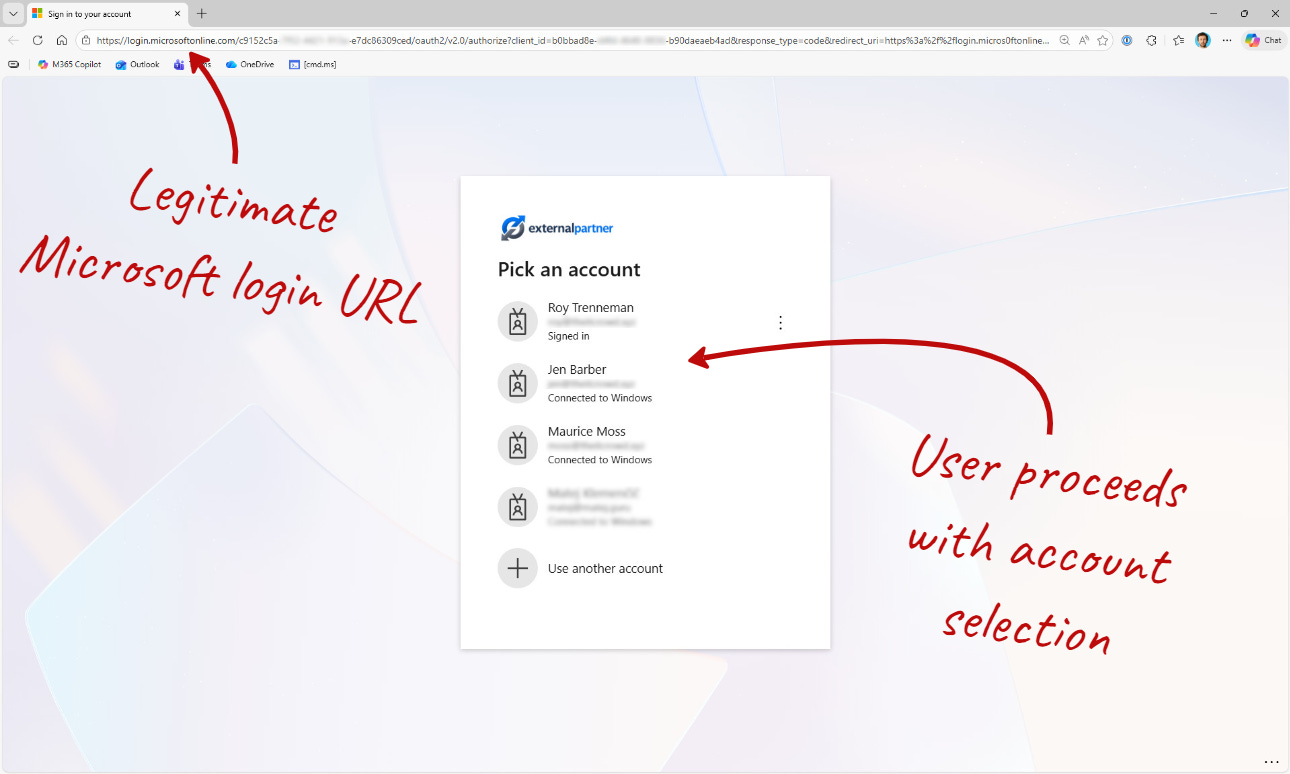
The URL points to the real Microsoft login domain, which makes the flow appear trustworthy.
In this demo the user is asked to select an account because multiple accounts exist in the browser session. In many real environments this step does not even appear. If the user already has an active session, Single Sign-On (SSO) may authenticate the user automatically, which actually makes the attack even smoother for the attacker.
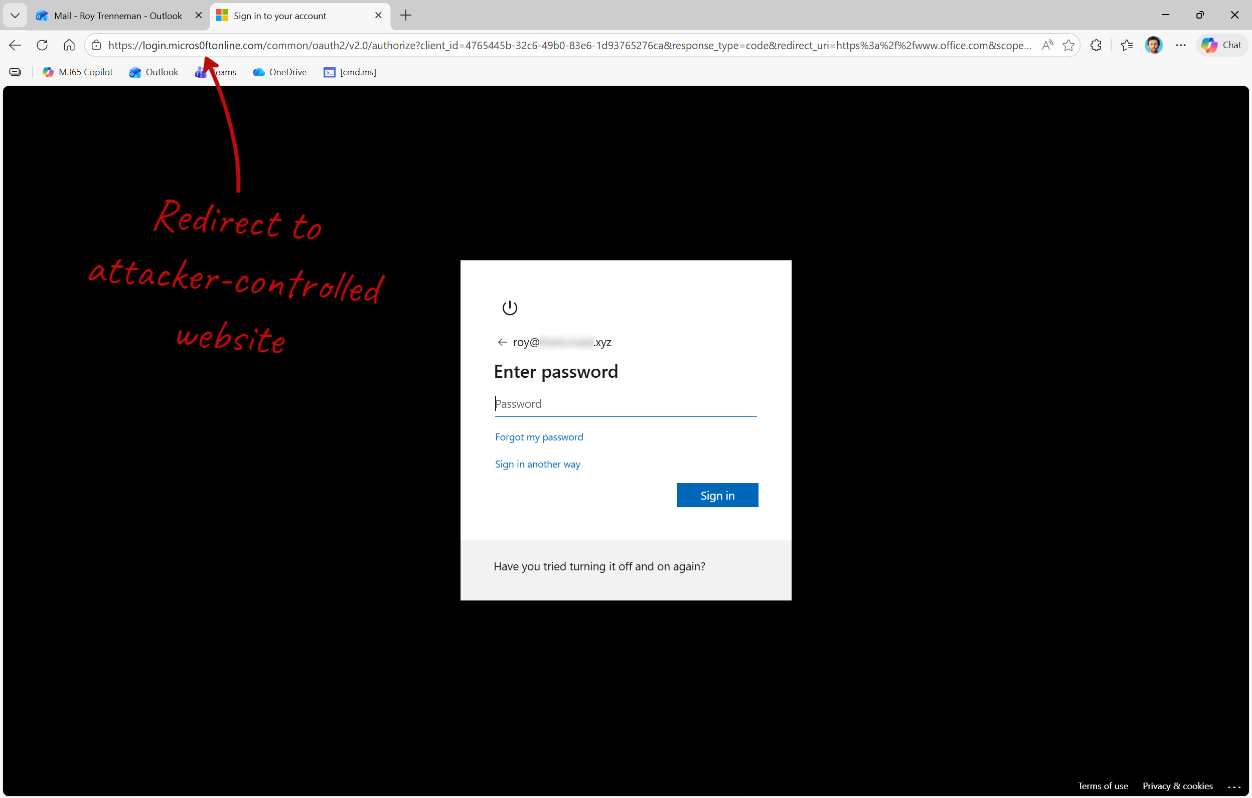
Because the redirect URI points to attacker infrastructure, the user is silently forwarded to a phishing page (in my example the page is part of an AiTM phishing kit).
One practical mitigation is restricting authentication to external tenants.
If users can freely sign in to other Microsoft Entra tenants, attackers can leverage their own tenant as part of the phishing flow. Blocking outbound B2B collaboration by default reduces this exposure.
My recommendation is a deny-by-default approach: block external tenant authentication and allow only trusted partner tenants through an allow list.
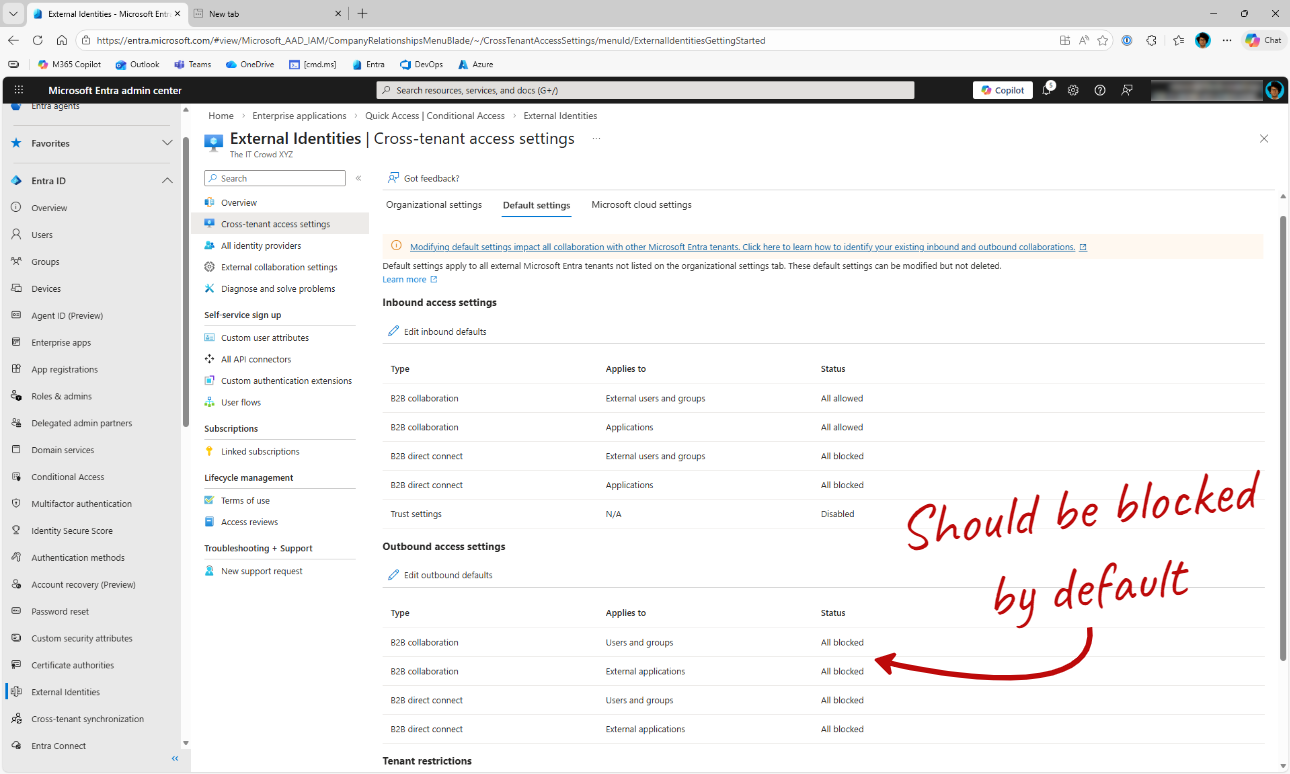
Before enforcing this, you should review whether users are legitimately signing in to external tenants.
This can be verified by analyzing Entra Sign-in logs using Defender Advanced Hunting or a SIEM such as Microsoft Sentinel.
🎓 Action for Security Teams
Review Sign-in logs for cross-tenant authentication.
Use Defender Advanced Hunting (KQL) or Sentinel to identify external tenant sign-ins.
Implement deny-by-default outbound B2B collaboration restrictions.
Allow only trusted partner tenants through an allow list.
Periodically review allowed tenants.