
A year ago, I started digging into Enterprise Applications in Entra ID. It was a topic I did not understand well, but I wanted to. I knew it was a blind spot. In most environments where I worked on hardening, nobody addressed it, mostly because nobody fully understood it.
The questions kept piling up. How do you even approach this? How do you clean up old applications that users could consent to on their own? How do you tell what a permission actually grants? Entra ID does not even give you a simple way to see which directory roles an application holds, so how do you catch an app that quietly sits with Global Administrator or another high privilege role? And how do you get a simple export of everything in the tenant, when there is no easy way to see all applications at once, or a clear link between an App Registration and its Enterprise Application?
That is how the first script came to be. It gave me a way to understand which applications in an environment were actually worth worrying about.
A year later…
Since then, I picked up more experience, ran the script across more tenants, and found gaps the original version did not cover. So it was time for an update. Not a small patch. A rebuild.
A few things mattered to me most this time:
Scheduled runs. The script now fits into an Azure DevOps pipeline. Reports can run weekly, or on demand, without anyone opening PowerShell. Fresh data every week, with no manual step in between.
Performance. Prefiltering now skips detailed analysis for apps that do not meet the criteria. This matters a lot once you scan tenants with hundreds of applications.
Better risk scoring. The scoring model now accounts for more signals, things the first version either missed or got only partially right.
This update took much more time and testing than I expected. It is still not perfect. I doubt any version of this will ever be. But it is a solid step forward, and I wanted to share it with the community again, because I know how much the first version helped people simply understand what was sitting in their tenant.
What is new?
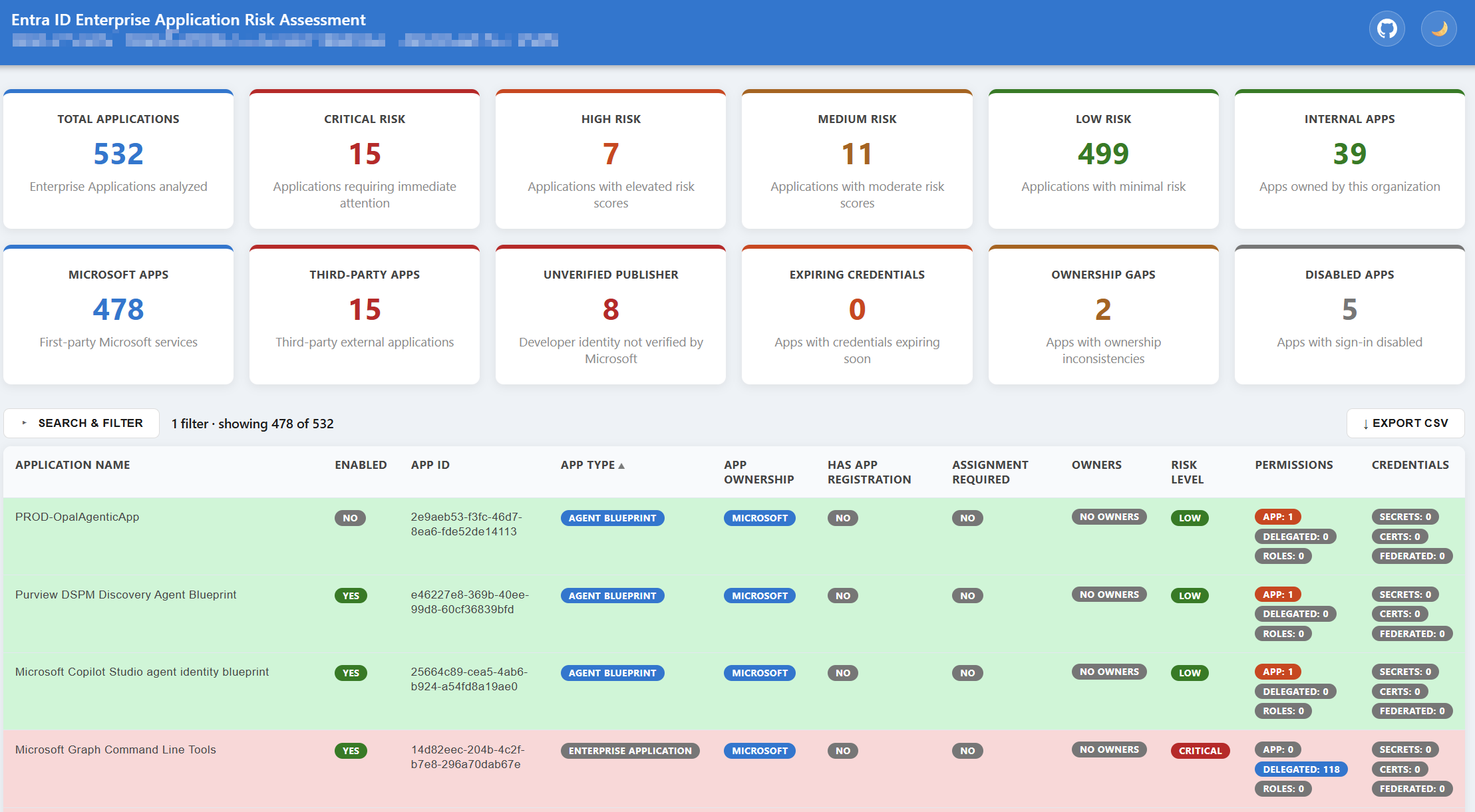
Enabled and disabled status. The report now shows this clearly for every app, and you can filter by it directly. A disabled app still holds its permissions, but it cannot be used right now, so the report treats it differently in the risk view instead of scaring you with a full score for something that is not currently exploitable.
App Type. Every application now gets a clear type. Standard Enterprise Application, App Proxy for apps published from on premises, or Agent Blueprint for Microsoft Entra Agent ID templates. This is separate from ownership, so you can tell at a glance not just who published an app, but what kind of object it actually is.
Refined app ownership. Ownership is no longer just internal or external. Every app is shown as Microsoft, Internal, or Third Party, and third-party apps are checked for a verified publisher. An unverified third-party app is flagged clearly, since that is one of the simplest signals of risk you can act on.
Updated risk scoring. The scoring model was reworked with more accurate signals. The list of high-risk and medium-risk permissions was expanded significantly, from about 30 entries to well over 100, after a manual pass through the full Microsoft Graph permission catalog. A new factor flags well-known first-party admin tools, like Azure CLI or Azure PowerShell, when they are open to every user in the tenant, since this is a common phishing and token-theft target. And credentials added directly to the Service Principal, instead of the App Registration, now get their own flag, since they are far less visible and less commonly reviewed.
Credentials, done properly. Certificates, secrets, and federated credentials are now tracked and shown as separate counts, instead of one mixed signal. Expiring and expired credentials are called out clearly, and credentials added directly to the Service Principal, which are easy to miss, get their own flag.
Much better filtering. This is probably the biggest practical improvement. The filter panel now lets you combine many dimensions at once, enabled state, app type, ownership, publisher verification, risk level, permission type, credentials, and more, so finding the handful of genuinely risky apps in a tenant with hundreds of entries takes seconds instead of scrolling through everything.
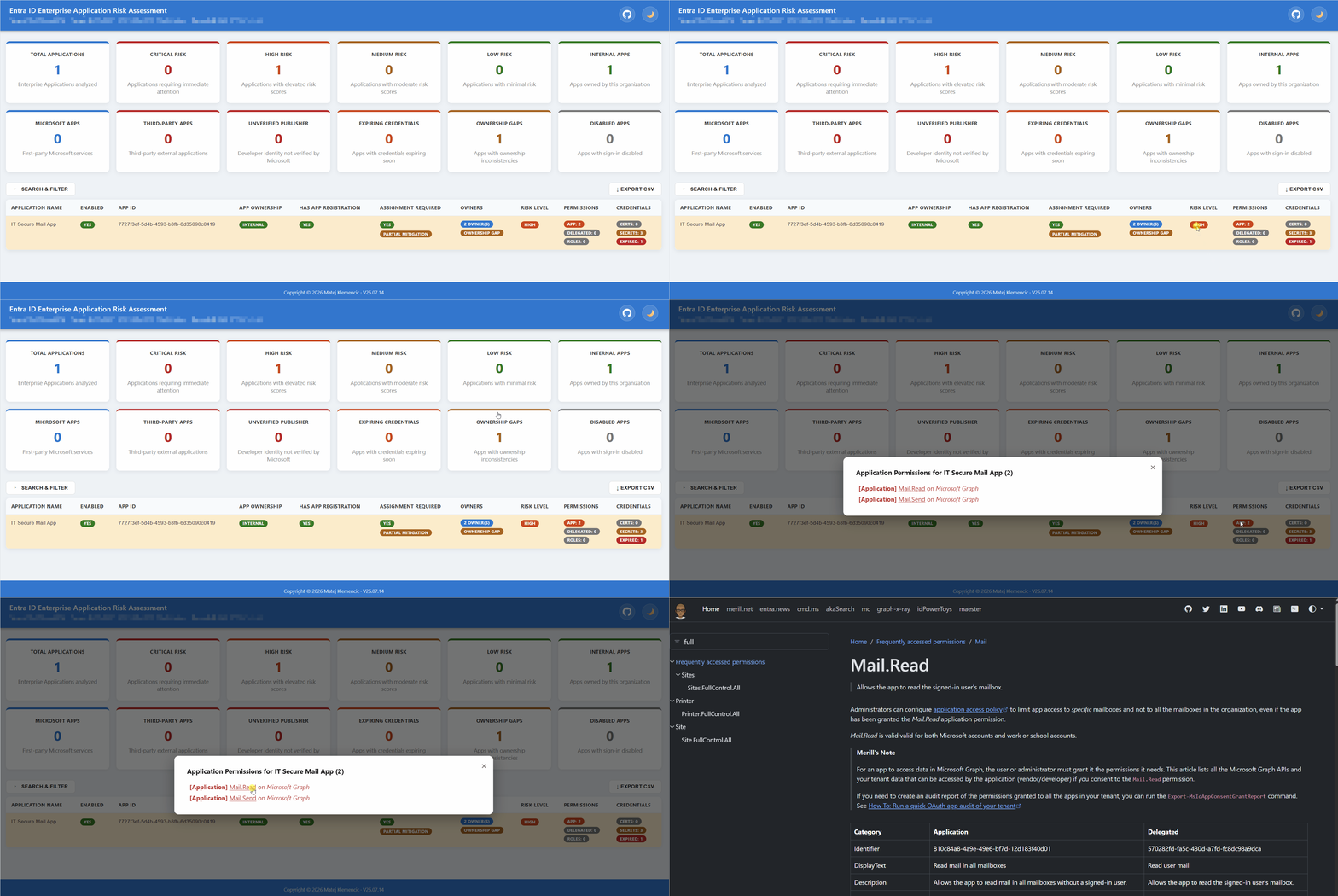
A redesigned interface. Every detail view is now a proper modal, instead of an inline expandable block. Risk Level and Permissions badges open directly into the relevant detail, and the risk score comes with a visual scale bar, so you can see at a glance where an app sits between Low and Critical.
Where to get it?
The script is on GitHub, together with a full README covering setup, permissions, parameters, and the risk scoring logic in detail.
Getting started takes one line:
.\Get-EntraIDAppReport.ps1
If you try it and something breaks, or if you think a signal is missing from the risk scoring, let me know. The first version improved a lot because people using it told me what they needed. I expect this one to be no different.
One last credit. Every permission shown in the report links directly to Merill Fernando's Graph Permissions Explorer, a community resource that explains what each Microsoft Graph permission actually does, often in more detail than Microsoft's own documentation. It made a real difference while building this, so credit where it is due.